Coming soon to iPhone & Android

CalKal Count calories with a single photo

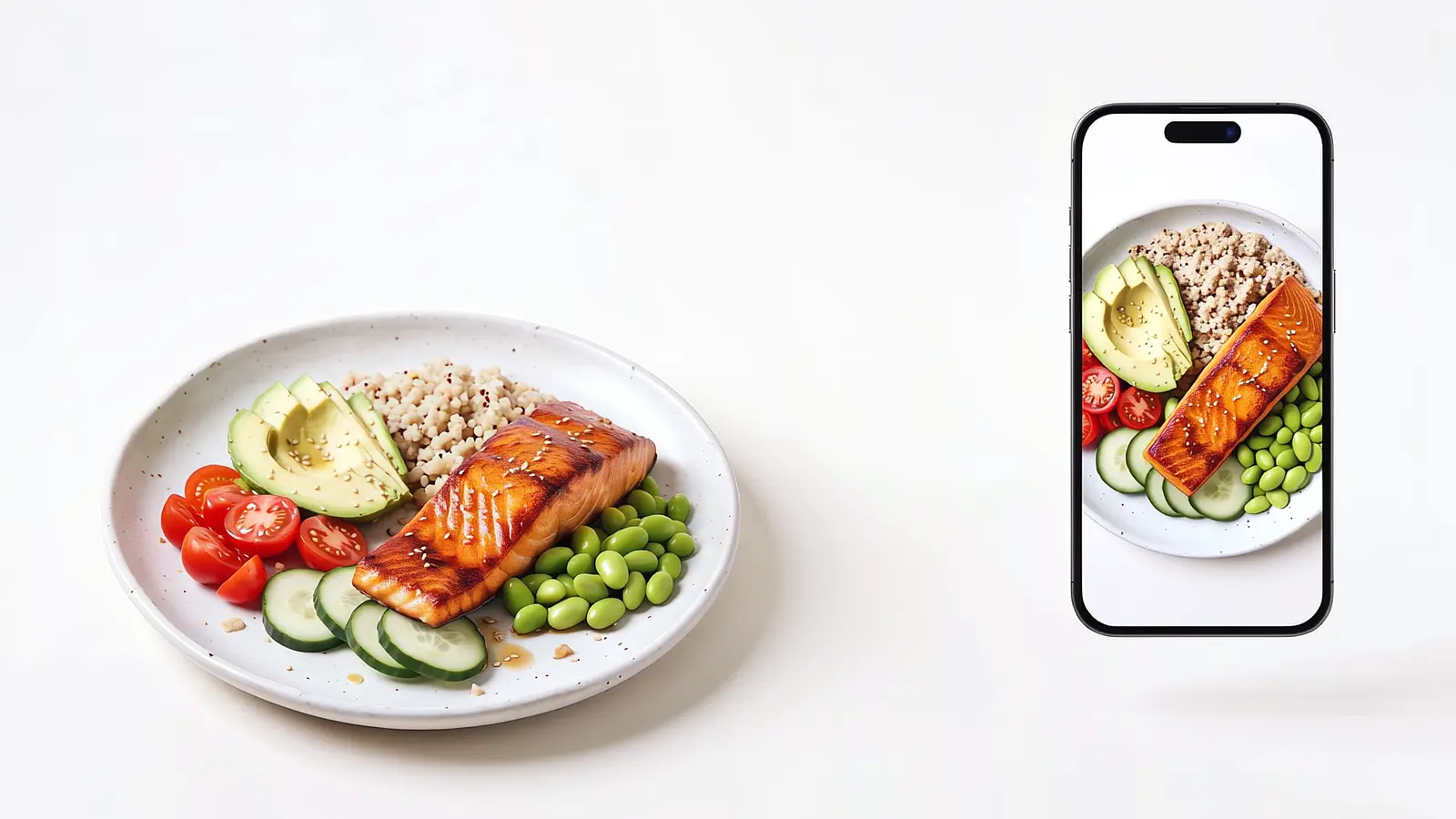
Photograph your plate and it breaks down into items: grams, calories and protein for each. And for what a photo can't show, like the oil in the salad, the app asks instead of guessing.

We'll only write when there's launch news.
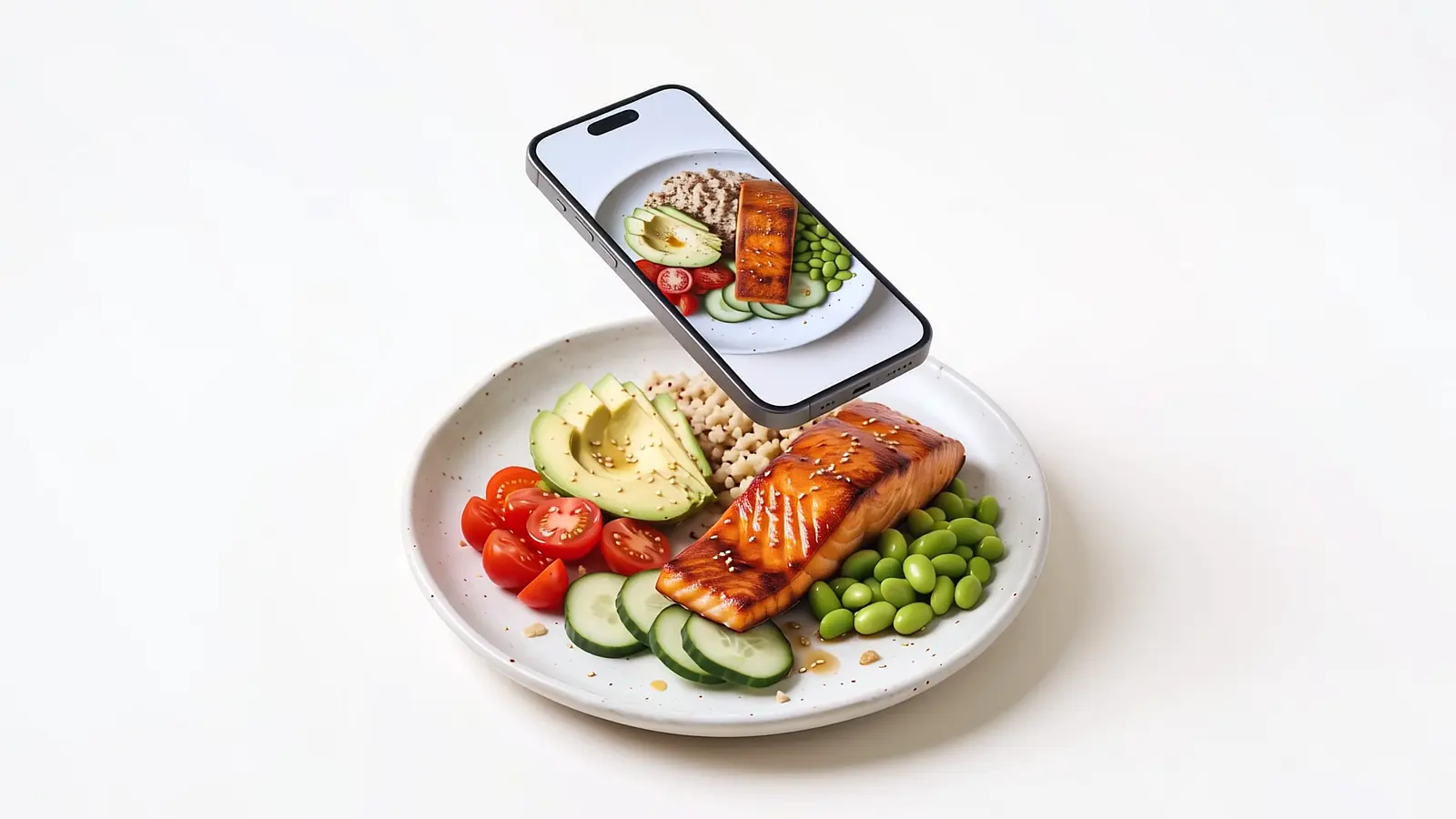
A phone above a plate of seared salmon, quinoa, avocado, cherry tomatoes, cucumber and edamame, its screen showing the plate through the camera A phone above a plate of seared salmon, quinoa, avocado, cherry tomatoes, cucumber and edamame, its screen showing the plate through the camera

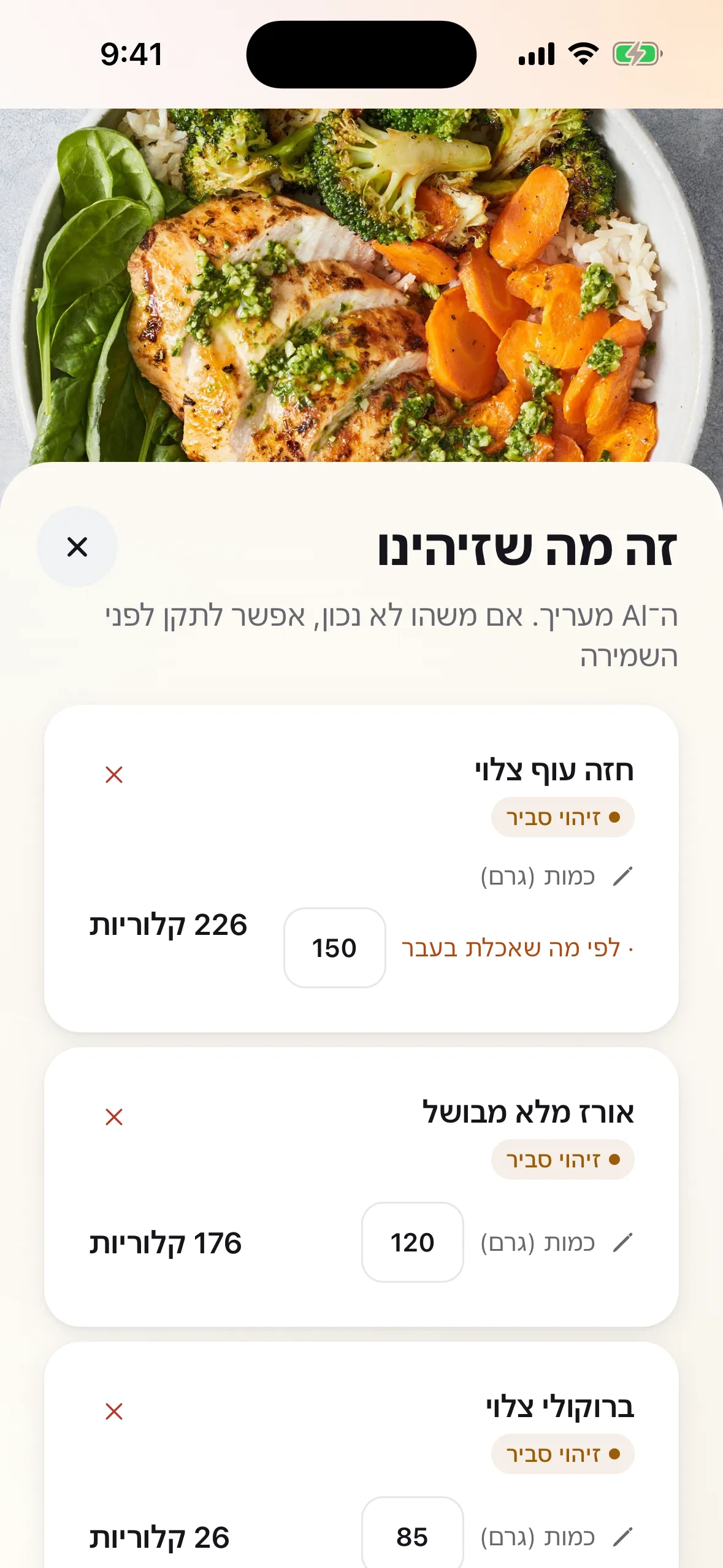
Here's what we found

  • Seared salmon 140 g 288
  • Quinoa 120 g 144
  • Avocado 70 g 112
  • Edamame 75 g 91
  • Cherry tomatoes 80 g 14
  • Cucumber 60 g 9

Total 658 cal

  • Protein 48 g
  • Carbs 44 g
  • Fat 34 g

Count calories with a single photo.

We'll only write when there's launch news.
Coming soon

  • Download on the App Store
  • Get it on Google Play

How it works

From plate to log, no kitchen scale
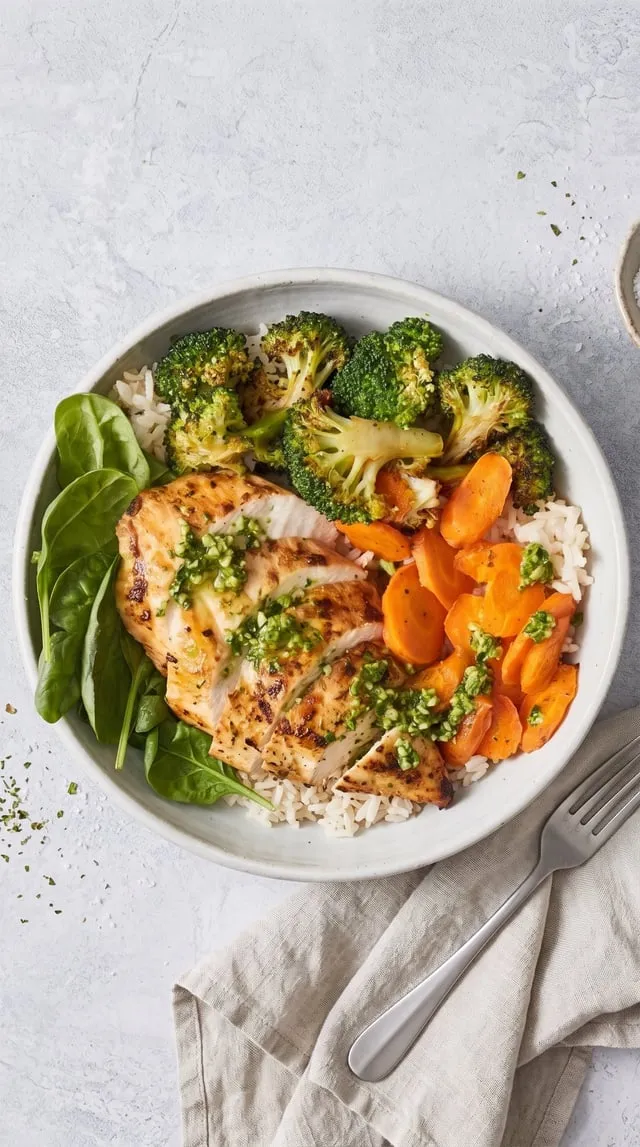
  1. Photograph the plate

    Get the whole plate in frame. Took a photo at a restaurant and forgot to log it? Pick it from your gallery, even that evening.

  2. Every item, in grams

    Each item on the plate gets its own weight and calories. No need to wait: close the app and a notification tells you when it's ready.

  3. Confirm, and it's logged

    An item in doubt comes with one question, like "Was there oil?". Answer, fix an amount if needed, and save.

It starts with a photo. It doesn't end there.

Hebrew food search, a barcode scanner, a calculated daily target and a weight chart that shows the trend.

  • It knows an Israeli plate

    Hummus, grilled chicken thighs, falafel and chopped salad: each item is identified on its own and gets its own weight and calories.
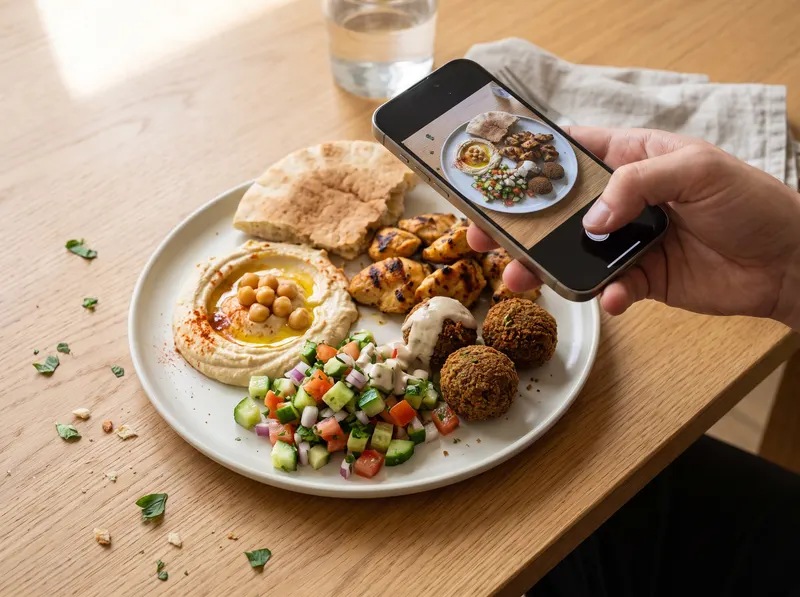
    A hand photographing an Israeli lunch plate with an iPhone: hummus, grilled chicken thighs, falafel, Israeli salad and pita, the plate showing on the camera screen
  • Sabich, majadra, jachnun

    Dishes that apps from abroad don't know are calculated here from their ingredients. For packaged food, scan the barcode.
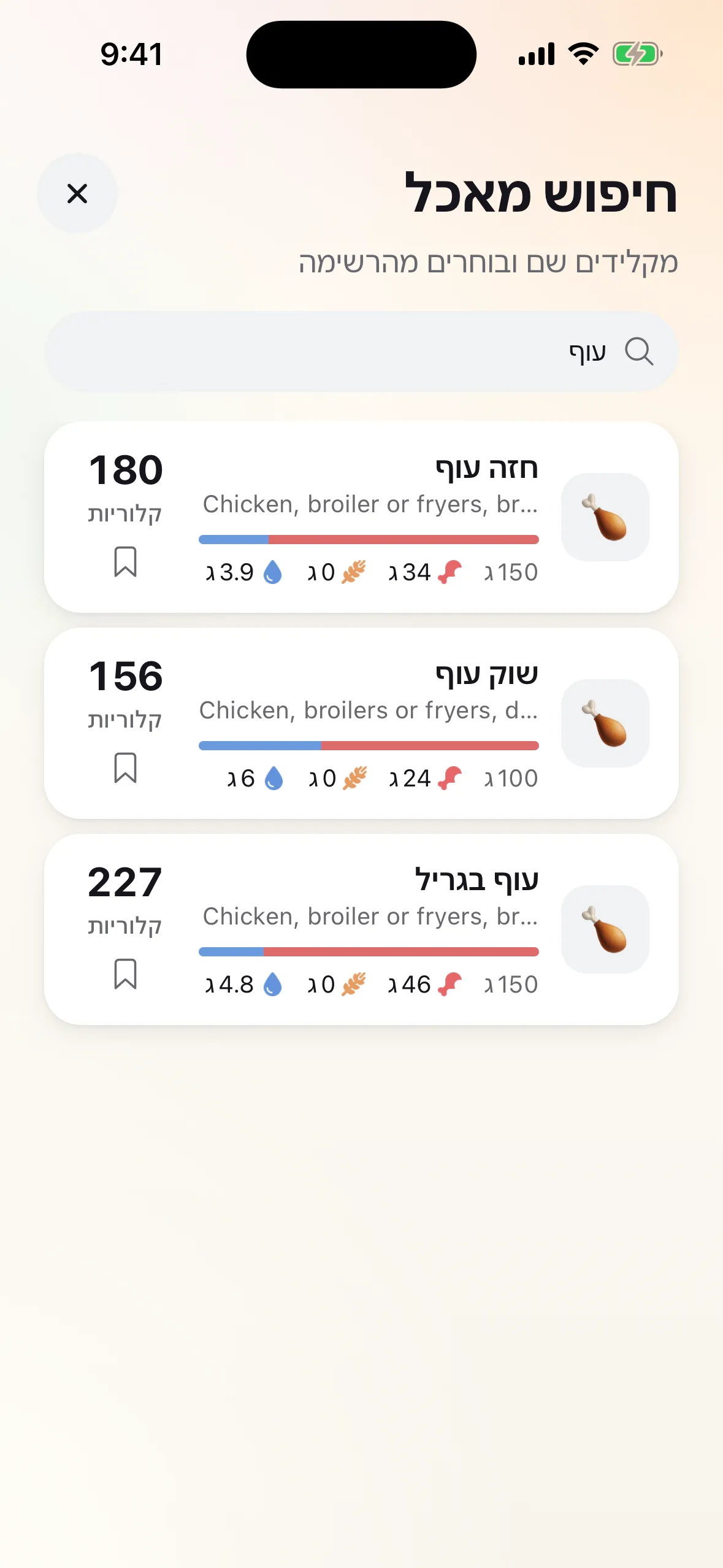
    Food search screen for "chicken" in Hebrew: chicken breast, chicken drumstick and grilled chicken, each with calories, protein, carbs and fat
  • The trend, not the weigh-in

    A single weigh-in jumps with water and salt. The chart shows where your weight is really heading over weeks, against your goal.
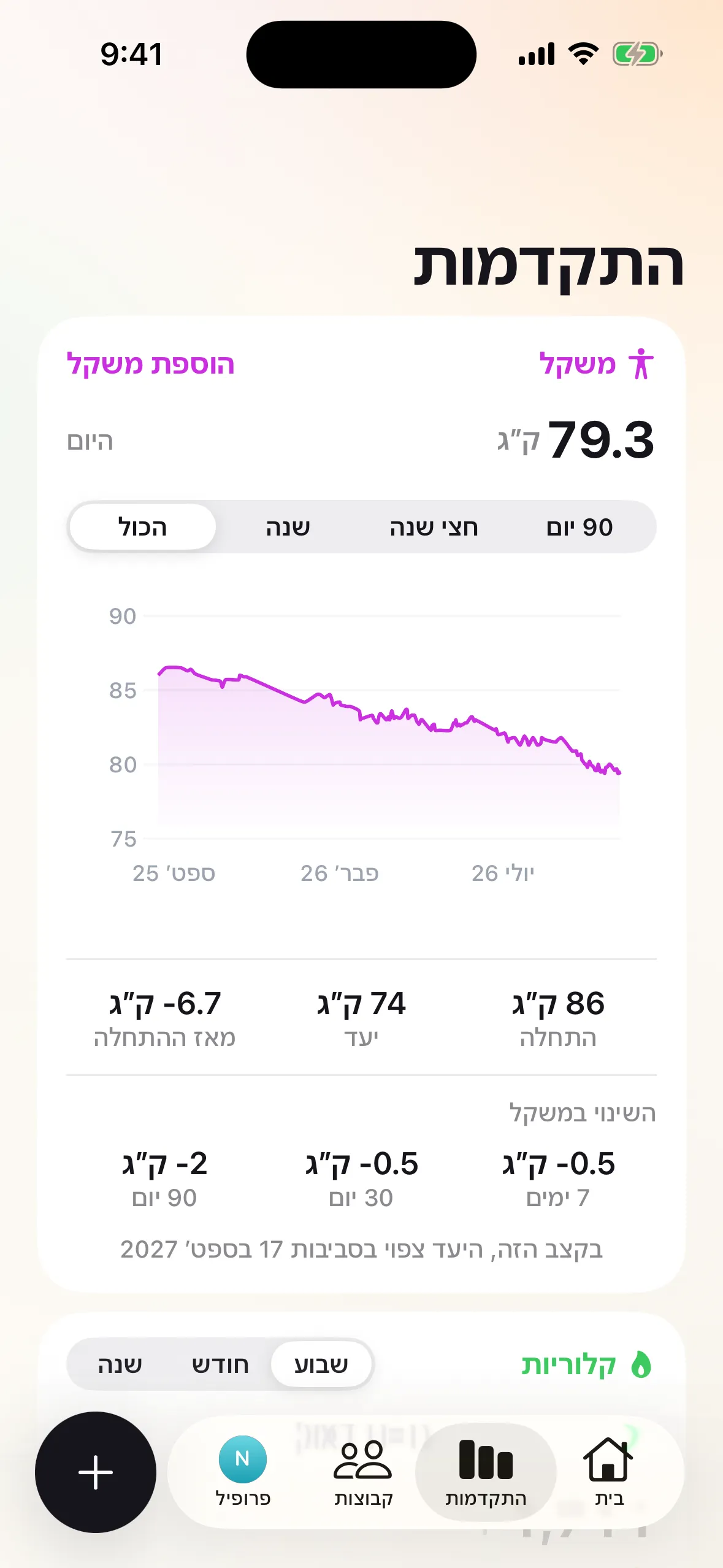
    Progress screen: a weight chart trending down over a year, current weight 79.3 kg, start 86, goal 74, and change over time
  • A daily target that is calculated, not guessed

    Using the Mifflin‑St Jeor equation, from your height, weight, age and how often you train. Pick a pace that takes you below a safe floor? You'll be told.
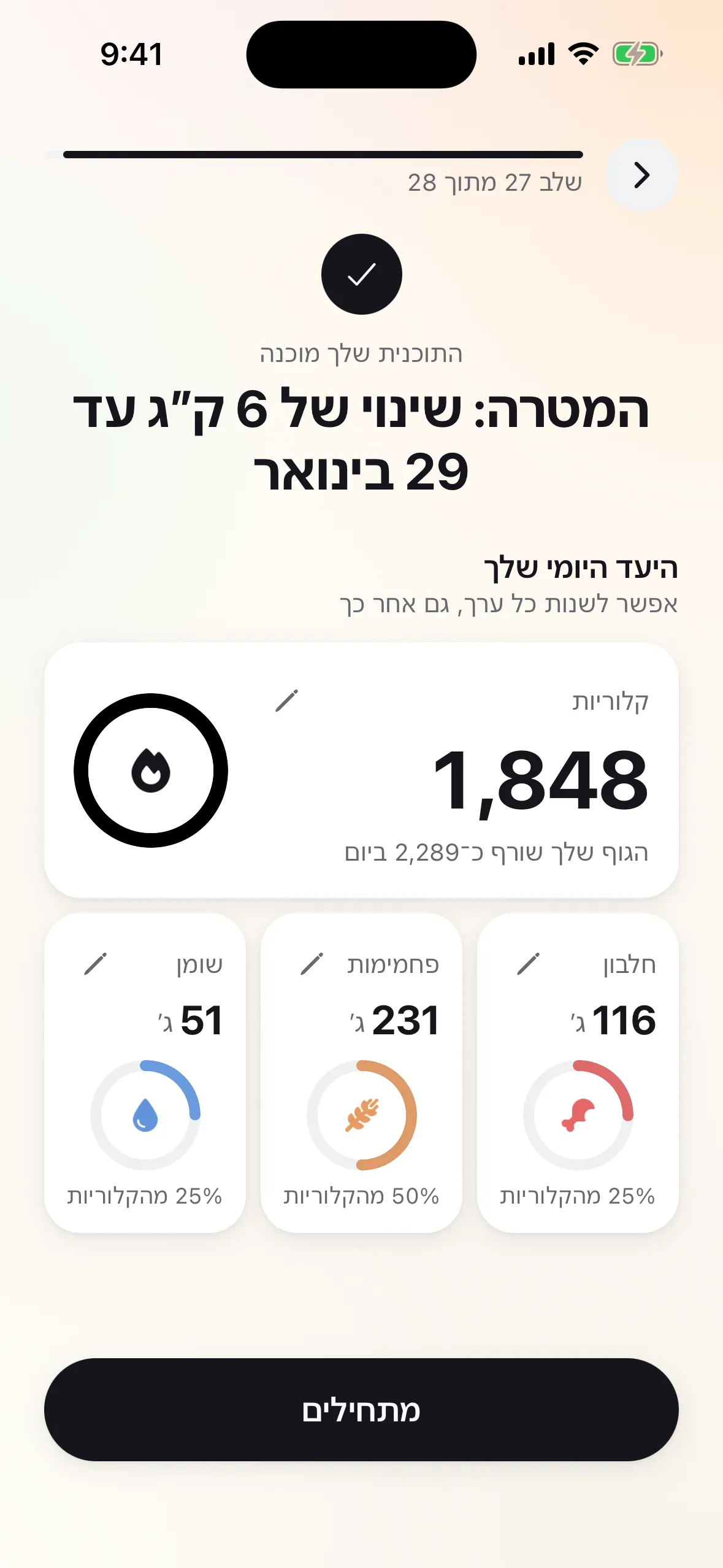
    Personal plan screen: a daily target of 1,848 calories, split into 116 g protein, 231 g carbs and 51 g fat

Built to last past week one

Calorie counting usually ends not because of the diet, but because of the hassle. So we took out as much of it as we could.

  • A PDF summary for your dietitian

    7, 30 or 90 days in one document, with your daily average and logged days. Send it before the appointment instead of trying to remember.

  • A reminder for every meal

    Breakfast, lunch and dinner, each at a time you choose, plus a short summary at the end of the day.

  • Your morning coffee, in one tap

    Save what you eat every day once, then add it again with a single tap. No searching from scratch each morning.

Workouts count

Walking, running, cycling or strength training: the calories you burn are added to today's budget. A glass of water is one tap, too.

Home screen

How much is left today? One glance.

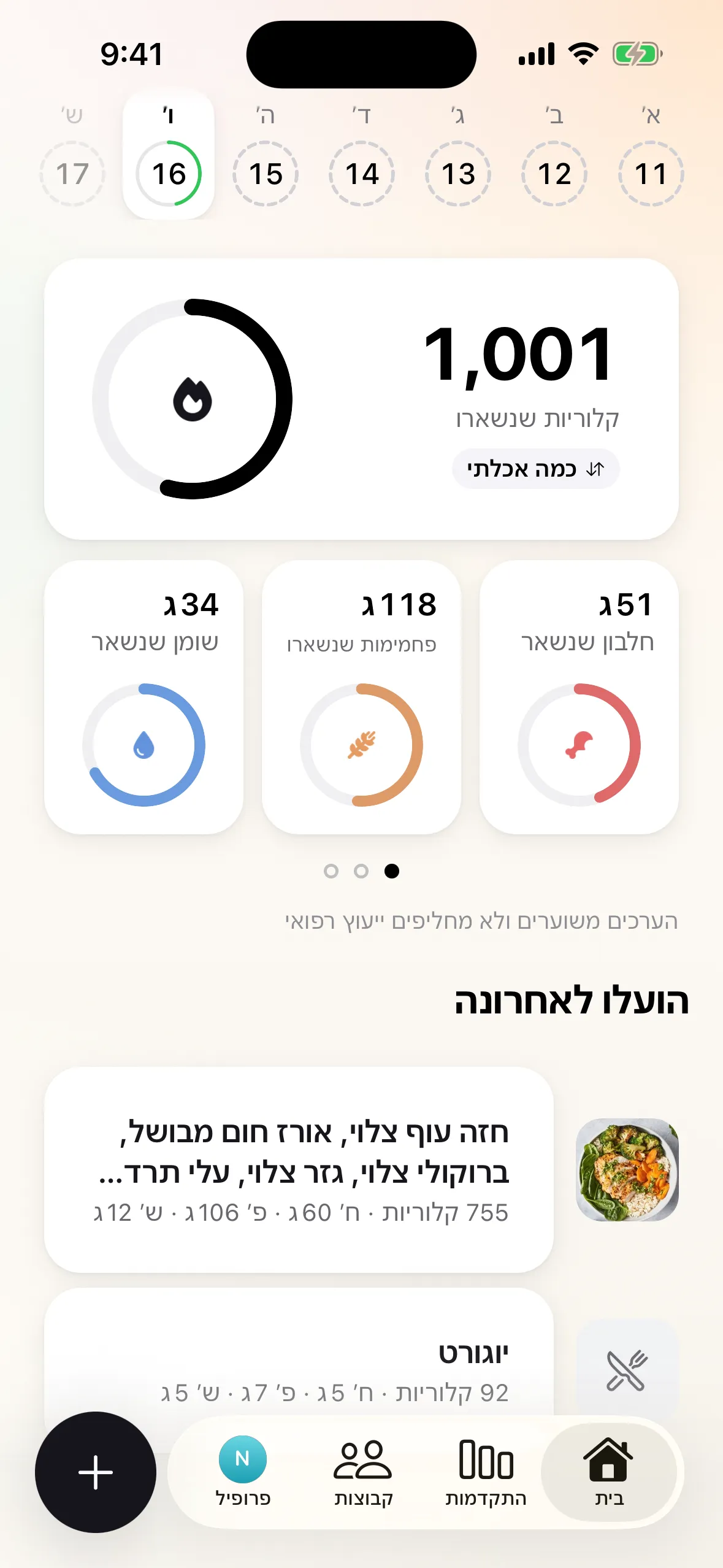
Calories left, protein, carbs and fat, and your latest meals, on one screen. And in the evening, dark mode is one tap away in your profile.
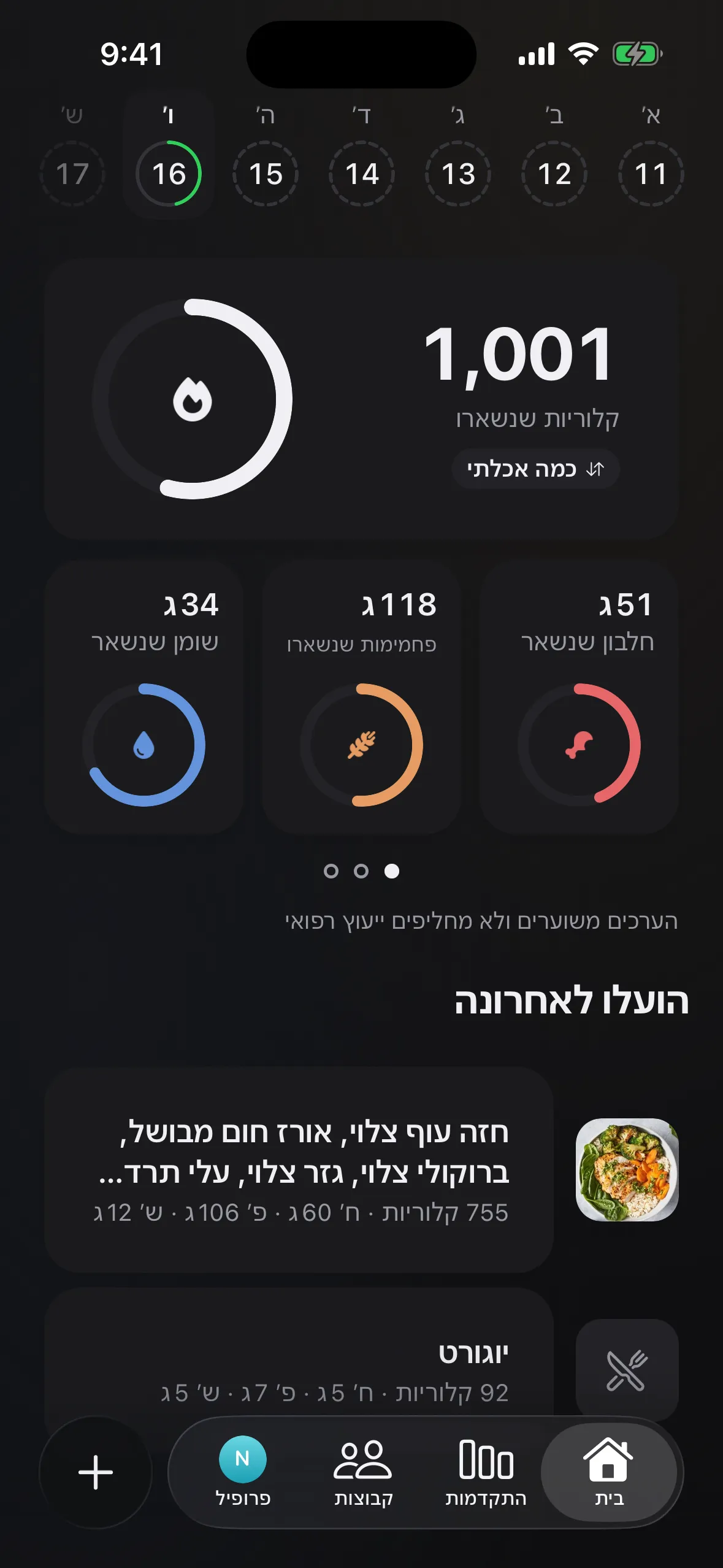
CalKal home screen in dark mode: 1,001 calories left, protein, carbs and fat rings, and recent meals

Questions & answers

What is CalKal?
CalKal is a calorie-counting app for iPhone and Android. Photograph your plate and the app breaks it into items, estimating grams, calories, protein, carbs and fat for each. Anything you did not photograph you can add by search or barcode, and workouts, water and weight are logged alongside your food.
How does the photo analysis work?
Photograph your plate, or pick a photo from your gallery. The app analyzes the photo, identifies each item and estimates how many grams there are. Before saving you see "Here's what we found", where you can change amounts, remove items and add anything missing. You can close the app while it works; a notification tells you when it is ready.
How accurate is it?
The values are estimates, and they are more accurate when the whole plate is in frame. The hard part is what you can't see: oil, butter, sauces. When the app isn't sure about an item, it flags it and asks one focused question instead of quietly guessing. You can check and fix every item before saving.
How are dishes like shakshuka or sabich calculated?
The world's big food databases don't include them. So for each of these dishes CalKal keeps its recipe: what it is made of and in what amounts. The values are the sum of the ingredients, and every ingredient comes from the U.S. Department of Agriculture nutrition database (USDA), so every number has a source you can check.
When will it launch, and on which phones?
CalKal is coming to iPhone through the App Store and to Android phones through Google Play. There's no final launch date yet, and people on the waitlist will hear about it first.

All questions

On launch day, you'll be the first to know.

Leave your email and we'll write the moment CalKal lands on the App Store and Google Play.

Join the waitlist

We'll write the moment CalKal is out for iPhone and Android.